
I’ve been waiting for the Apple Watch for such a long time. I placed my order as soon as pre-orders opened on April 10th, but because the Apple Store backend crashed, my payment went through two hours late, pushing the delivery estimate from May to June… Fortunately, it actually arrived half a month earlier than the estimated date, which was pretty nice. Below, I’ll go into detail about why I bought this product and my experience using it.
Needs
My requirements for a smartwatch have always been as follows:
- Telling time: Regular watches aren’t accurate enough. Unless it’s a radio-controlled watch, gaining or losing a second or two every day drives someone with OCD crazy…
- Checking notifications: When walking, riding the subway, or eating, you don’t always have your phone in hand. Especially since I keep my phone in my pocket most of the time, I often miss calls, or have to pull out my phone every time it vibrates just to see what message I received.
- Activity tracking: As a wearable smart device, products like Fitbit or smart bands that only track steps—and with significant margin of error—have always felt somewhat lacking to me. Especially now that the iPhone has built-in step counting, it would be great if it could also track heart rate.
Let’s take a look at how the Apple Watch performs regarding my needs:
- Time: Syncs with the phone, with an error margin of no more than 50 milliseconds.
- Notifications: You can configure which messages trigger alerts on the watch and which only alert on the phone. This allows you to leave less urgent push notifications, like news or shopping apps, on your phone to handle later. Notifications from WeChat, SMS, etc., appear on the watch, allowing you to read the content before deciding whether to pull out your phone. It’s much more convenient than having to check your phone every time it vibrates.
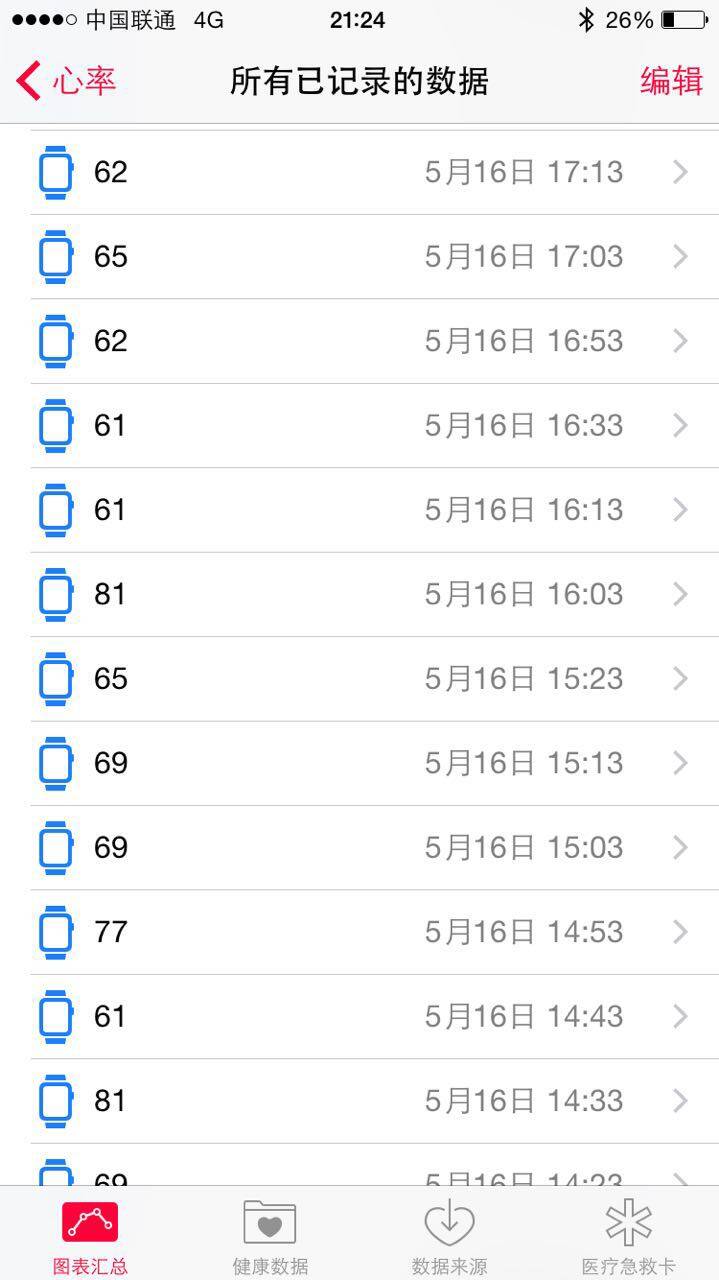
- Activity tracking: Fully records workout status, tracks standing or sedentary time, and features a beautiful app for visualization. Additionally, it records heart rate every 10 minutes and syncs it to the Health app.
So, for a product that completely satisfies all my needs, buying it immediately was a no-brainer. As for the remaining features, they’re all bonuses, and the activity tracking part was a genuinely pleasant surprise.
Choosing Between the Three Models
Actually, this is quite simple because the price differences are very clear; the Edition model is definitely not something the average person would choose. Some might hesitate between the Sport and the standard models, but their positioning is actually quite different. The Sport model is much lighter, making it ideal for workouts, while the standard model is noticeably heavier and, paired with metal or leather bands, is better suited for work or formal occasions. Speaking of bands, the Sport band isn’t breathable and can be uncomfortable in summer. You could pair it with a leather band, but leather isn’t waterproof, so it feels like you’d still need to switch back to the Sport band when exercising~~~~~ So, if money is truly no object, you could buy one Sport and one standard model: wear the Sport version during workouts and the standard version daily. Hmm~~~~
First, let’s start with some unboxing photos…
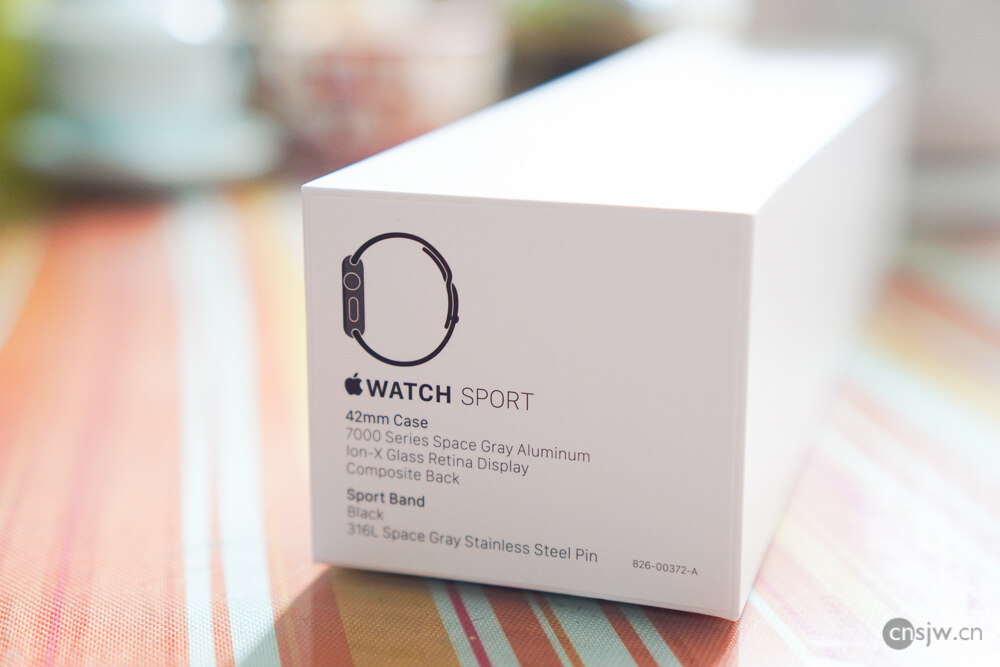
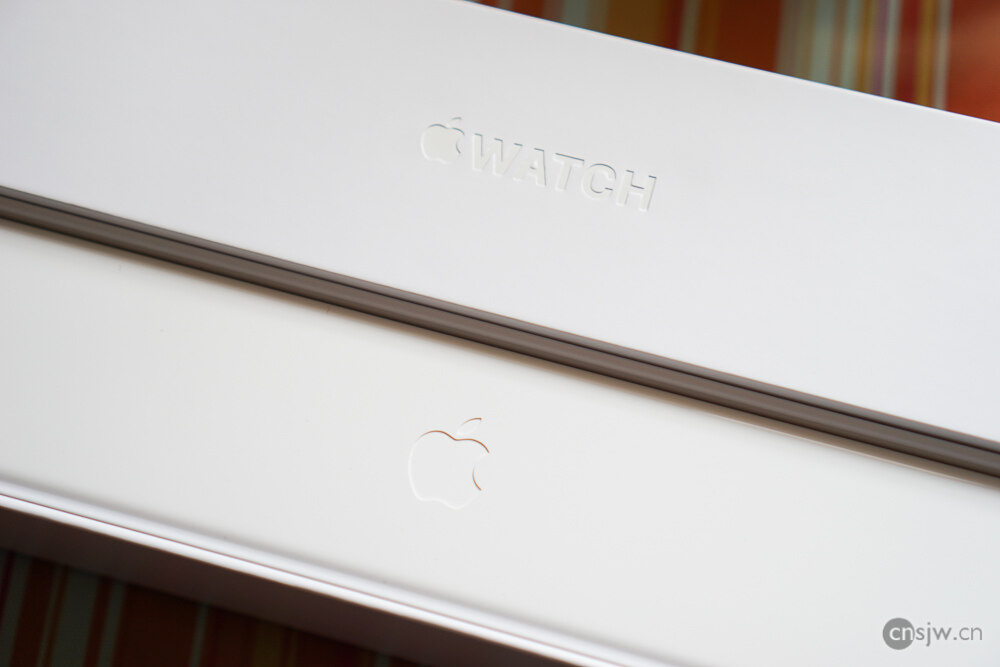
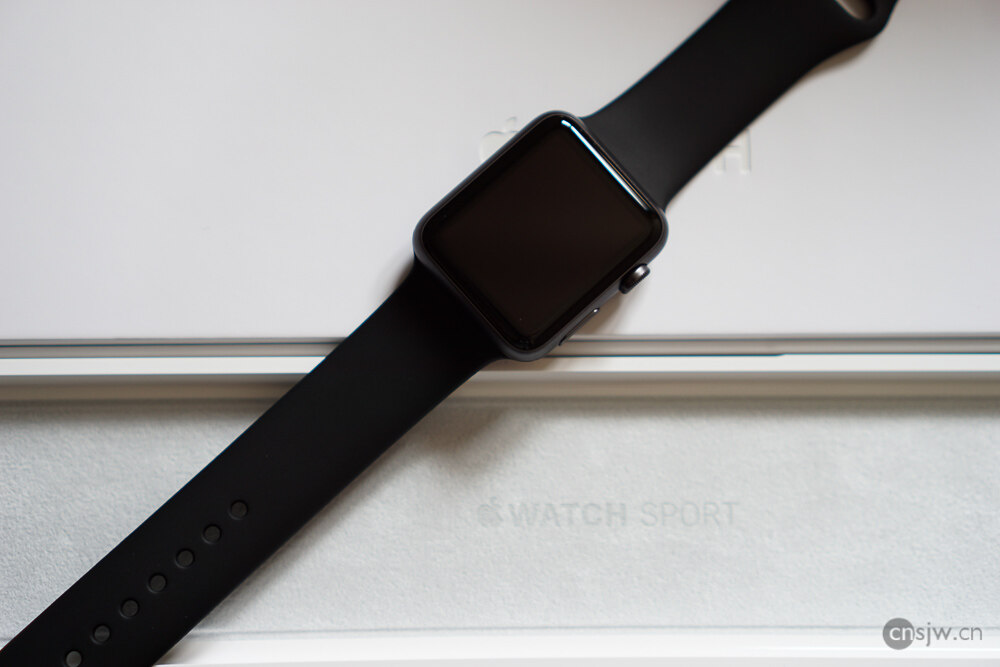
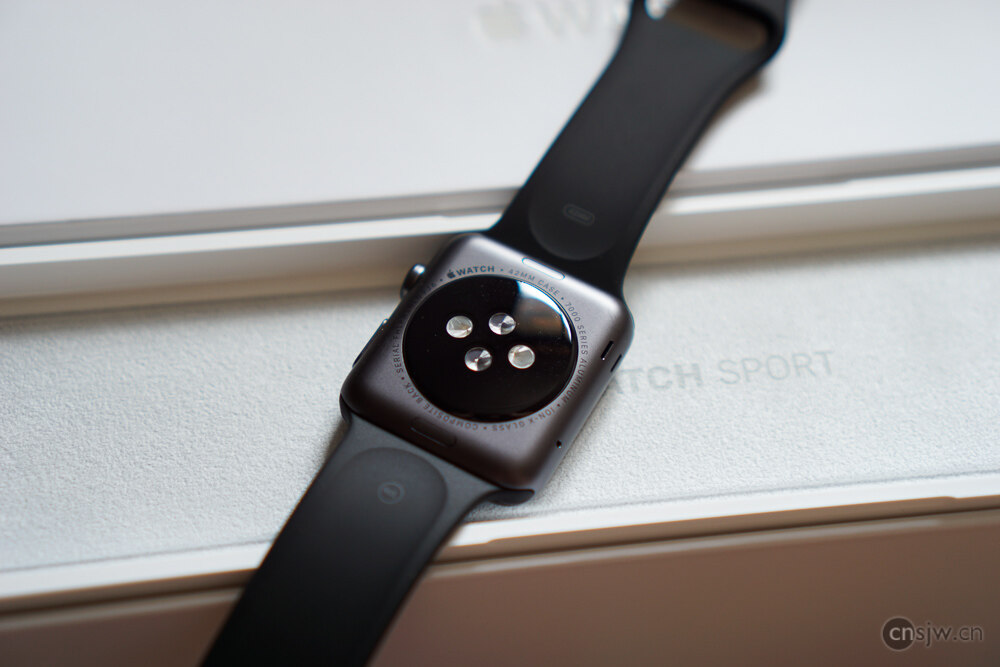
After powering on, you need to pair it with your phone. The pairing process is smooth; the only downside is that data syncing takes a bit long.
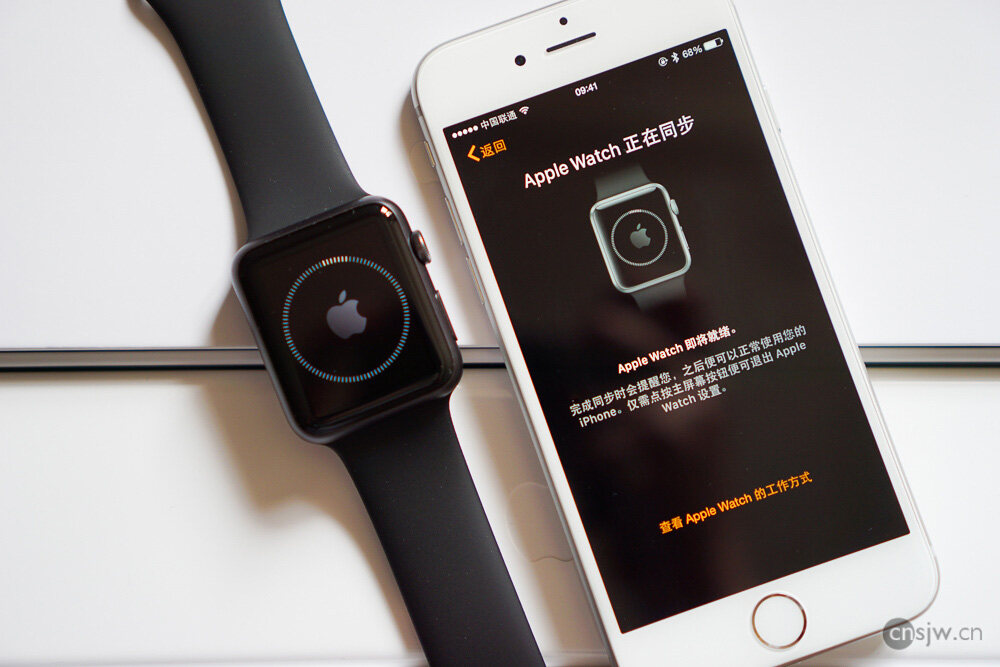
Then you’re good to go—all settings can be configured on your phone.
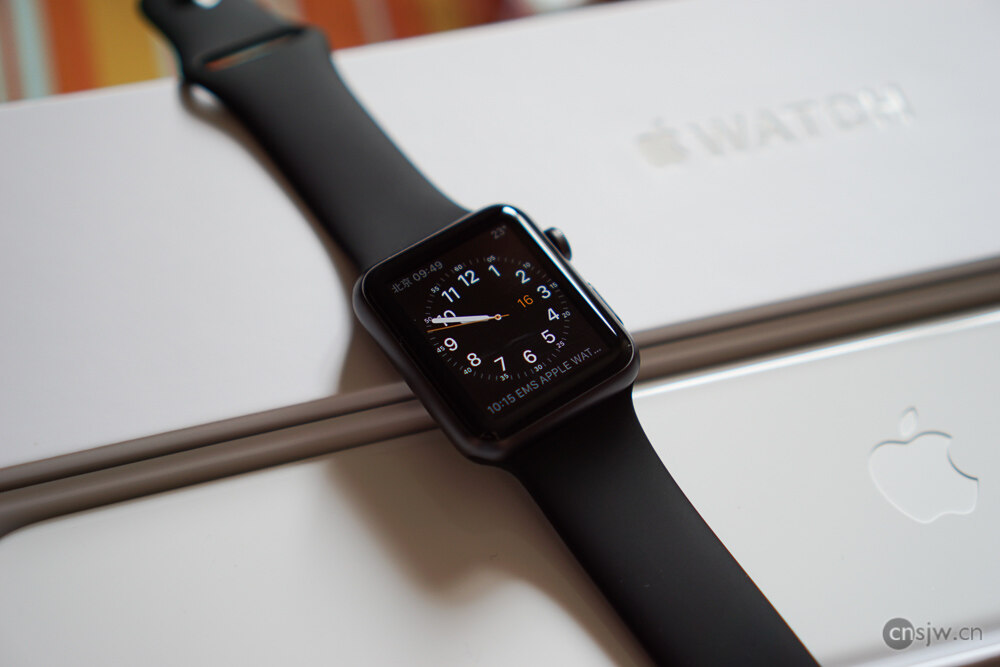
Raising your wrist wakes up the display. Swiping down reveals notifications, swiping up opens Glances, pressing the Digital Crown brings up the Home screen, and pressing the side button summons your Favorites.

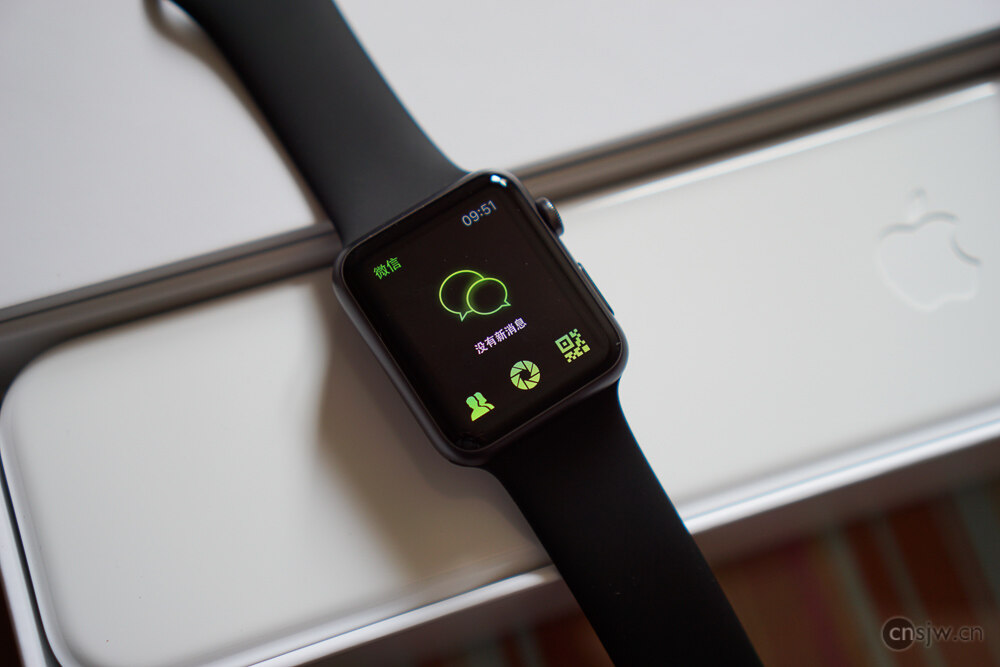
After testing them one by one, I feel these extra features hold very little appeal for me, especially third-party apps, which mostly feel crippled after testing. But then again, I wasn’t crazy enough to expect to do much on a watch anyway, especially with my phone right there. WeChat is surprisingly functional—you can even view Moments—but why would anyone want to browse Moments on a watch?…
Features
There’s no need to say much about checking time and messages; the official website has plenty of introductions, complete with images and videos, so everyone should take a look.
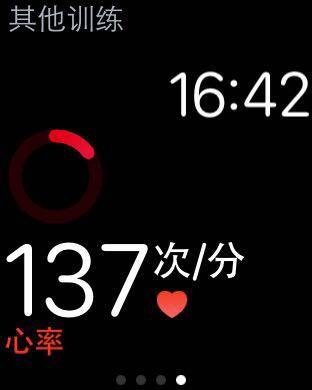
Here, I’ll mainly discuss heart rate tracking and fitness features. By default, the watch measures your heart rate every 10 minutes and syncs it to the Health app. During workouts, heart rate is measured continuously and recorded in Health every 5 seconds—that’s 12 times per minute. Your heart rate is also displayed in real-time on the watch. This is a very useful feature of the Apple Watch: if you want to monitor your heart rate continuously during exercise, you no longer need to grip the metal sensors on gym equipment with both hands, freeing them up. Especially when running, you can see your heart rate in real time. This data is also a crucial part of Apple’s ResearchKit and could become the world’s largest database of exerciser heart rates.
Once you pair your watch, a new app called Activity appears on your phone. You can set a daily goal consisting of three components: calories burned, exercise minutes, and stand hours. Calories burned refers to active calories expended through walking or exercise throughout the day. Exercise minutes are automatically identified based on heart rate and activity intensity; only activities at or above a brisk walk pace count as exercise, so if you just go for a casual stroll, your exercise time will be quite short. For Stand hours, standing for at least one minute within an hour counts toward that hour. The daily goal is 12 hours, which is extremely helpful for people who sit for long periods. At the 50-minute mark, if you haven’t stood up and moved around yet, the watch will remind you~~~~
It also includes daily fitness data, badges, and daily step count and distance. Speaking of steps, the iPhone itself has step counting, and the Watch can also count steps independently. So, on elliptical machines or treadmills, even if your phone is resting on the machine, steps are still counted. Moreover, using the phone and Watch together makes everyday step counting more accurate. However, currently, step counts recorded by the watch only appear in the Activity and Health apps; third-party apps that sync step data can only access steps recorded by the phone.
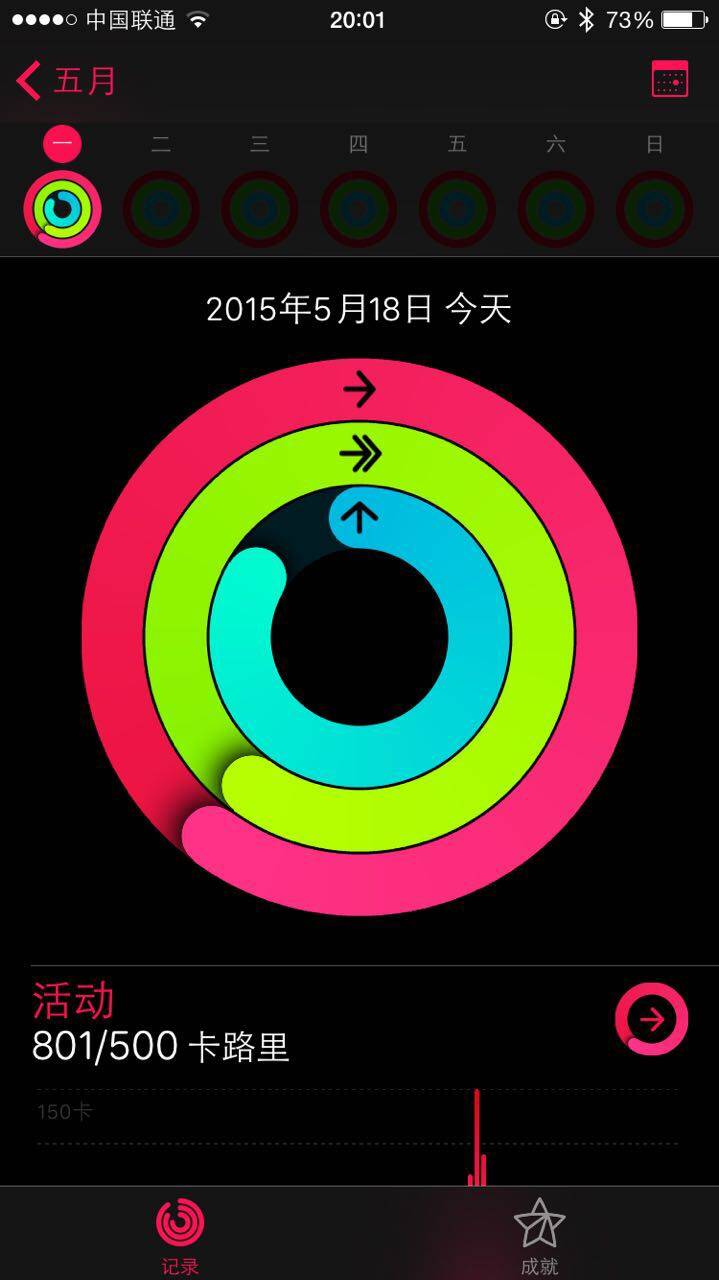
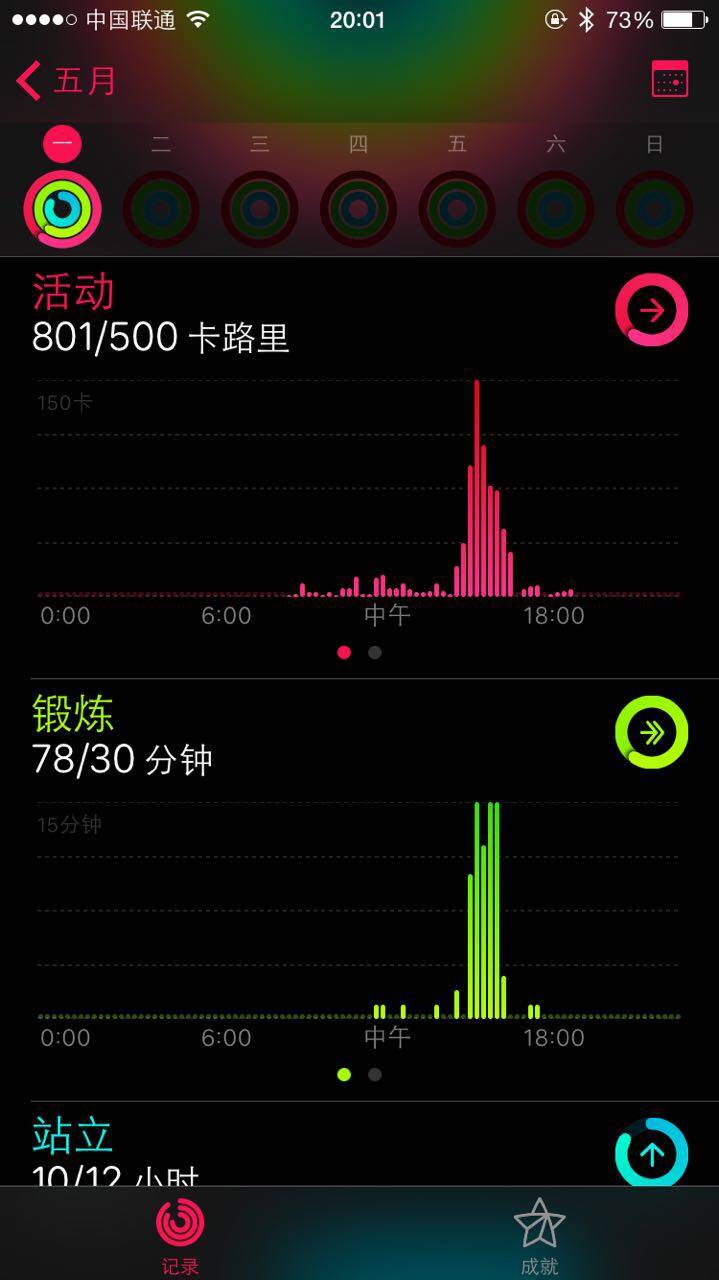
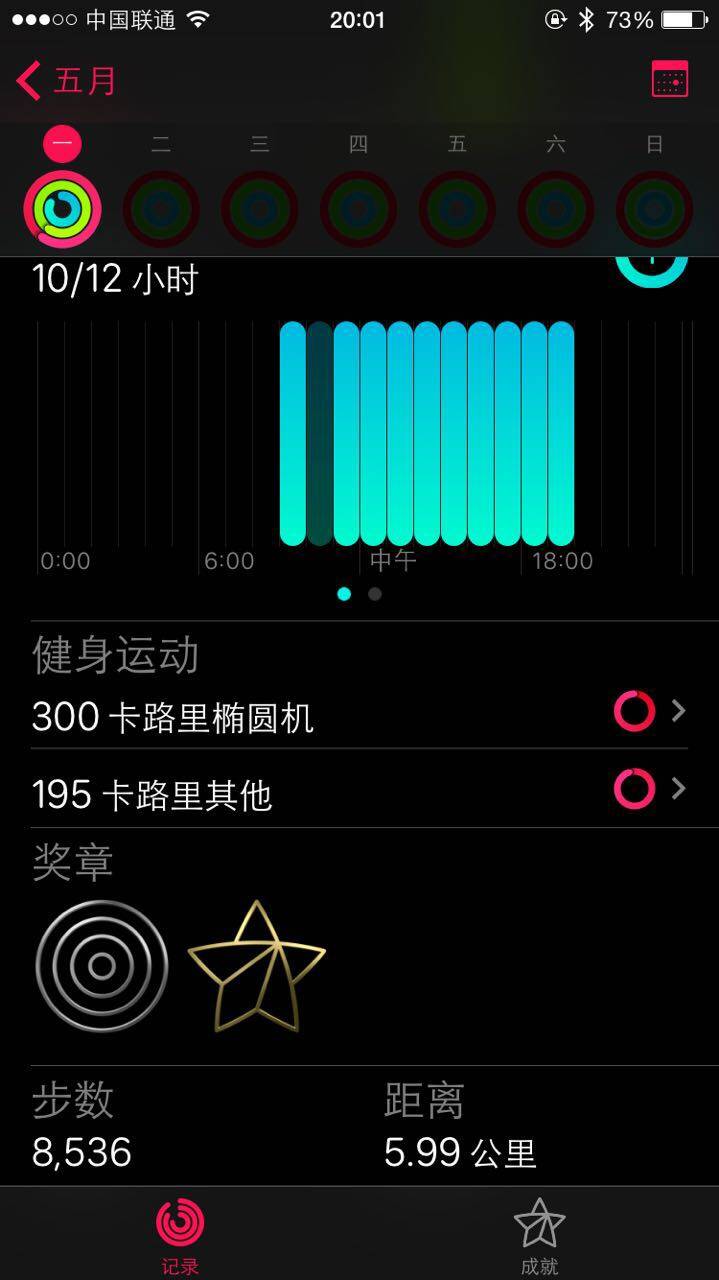
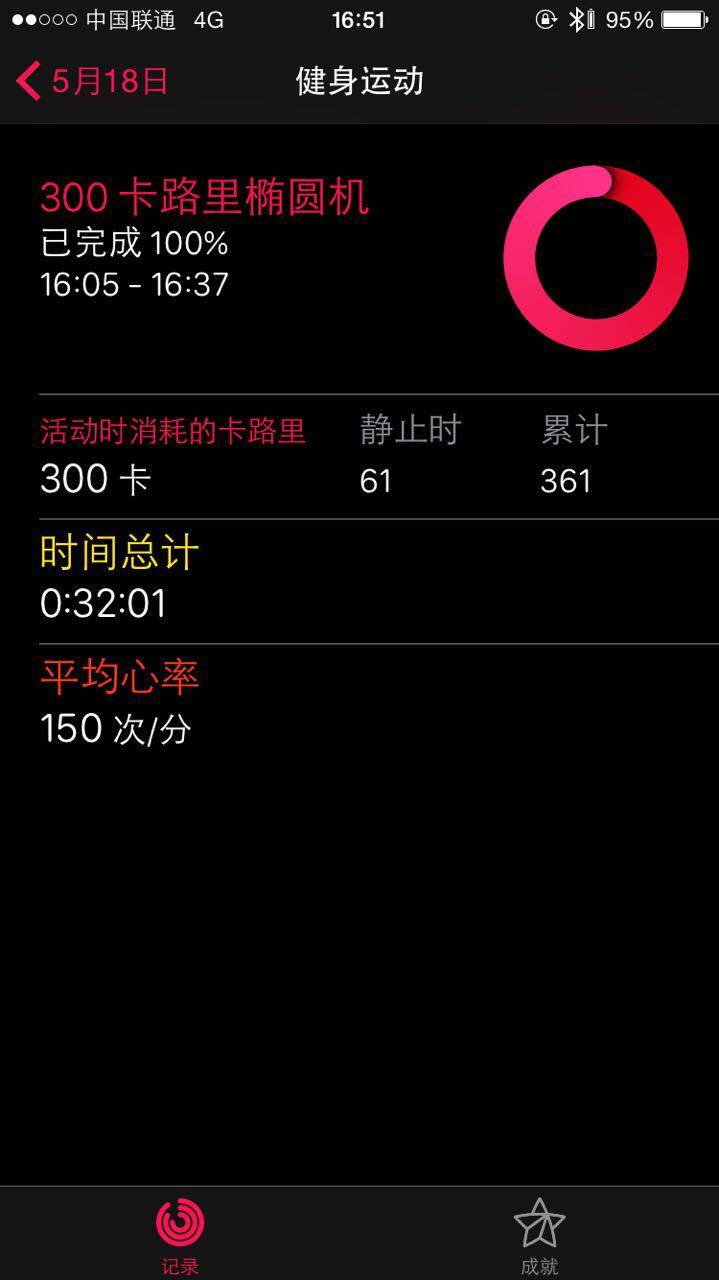
The watch also frequently reminds you to move throughout the day or encourages you to keep going during workouts. Every Monday, it suggests adjusting your daily goals based on your completion rate from the previous week.
In addition to Walking, Running, Cycling, Rowing, and Elliptical workouts, there’s also an ‘Other’ workout category that estimates calorie burn based on your activity and heart rate, suitable for anaerobic training.

Apple has put tremendous effort into making activity tracking more accurate, combining heart rate, distance traveled, wrist movement, and personal biometrics to calculate energy expenditure. Here’s an article discussing Apple’s dedicated fitness lab:Inside Apple’s Top Secret Health and Fitness Lab for Apple Watch Development
Also, regarding outdoor running without a phone: even without an iPhone on you, the Watch can still record your workout data. Of course, without GPS, metrics like running distance may not be entirely accurate initially, but taking your phone along for a few runs in open outdoor areas helps calibrate and improve accuracy over time~~~ Additionally, the Apple Watch can connect to Bluetooth headphones and play music files stored directly on the Watch, which can hold up to 2GB of music~~
Another hallmark of Apple products is that they quietly handle many tasks in the background without you noticing—like syncing, step counting, and Handoff. Handoff has also come to the Watch; for example, if you’re viewing a WeChat or SMS conversation on your watch, you can seamlessly continue on your phone.
Battery
Since receiving the Watch, I’ve only used it fully for two days:
Day 1: Walked 16,819 steps, used workout features for about 2 hours, and otherwise checked messages and time normally. From 7:30 AM to 11:30 PM, battery remaining was 40%.
Day 2: Walked 8,500 steps, used workout features at the gym for about 2 hours, and otherwise checked messages and time normally. From 8:30 AM to 11:30 PM, battery remaining was 37%.
Thus, under normal usage, the battery is completely sufficient. If staying overnight elsewhere, you’ll need to bring the charging cable. The included cable is 2 meters long, but you can buy a 1-meter one for portability. It uses a USB connector, which is fairly convenient.
Miscellaneous
Although its water resistance rating suggests you could shower with it, since water gets trapped between your arm and the back of the watch and is hard to dry, I wouldn’t recommend wearing it in the shower. Even when washing hands, it’s best to be cautious.
Then there’s Taptic Engine. This feature feels really interesting—it’s like a gentle tap on your wrist. The watch doesn’t vibrate audibly or noticeably like a phone does~~ Different types of notifications use distinct tapping patterns. For instance, calls, texts, alarms, and fitness reminders all feel different, making them easy to distinguish. Overall, it’s a magical experience that vibrating watches simply cannot replicate.
Conclusion
For me, this product was truly worth the long wait. I’ve had these needs for years, and its arrival finally fulfills them~~~~ If you share any of these needs—even just one—it’s worth buying, especially given its genuinely affordable price. If you have absolutely no need for it, don’t buy it. It’s meant to be used; it’s neither a toy nor a phone replacement~~~ Some features might not be perfectly smooth during everyday use, but none of that is reason enough not to buy it~~~ A useful product doesn’t need to be perfect before purchasing. Likewise, I wouldn’t recommend buying a product you won’t use~~~

Support



Read this article on WeChat