
Ever since Apple launched the first-generation iPad Pro five years ago, it has been labeled a productivity tool. Of course, we can also see that Apple has been continuously striving in this direction. But now that five years have passed, has it actually become a productivity tool? Let’s take a look from both software and hardware perspectives…
Hardware
In terms of the iPad Pro’s hardware itself, there isn’t much difference between this generation and the previous one. The screen is exactly the same, and the chip has merely changed from the A12X to the A12Z. The chip uses the same design; only the GPU went from 7 cores to 8 cores by simply enabling a previously inactive core, so benchmark scores are virtually identical.
It seems that while Apple’s chips completely outclass the competition, they no longer have any motivation to improve… Memory is now 6GB across the board, and the camera has been upgraded to a dual-camera system with an added LiDAR scanner. However, note that currently only ARKit can utilize this feature. I had expected the LiDAR scanner to bring more precise distance sensing and greatly improve foreground recognition for shallow depth-of-field photos, yet surprisingly, the rear cameras don’t even support Portrait Mode…
Suffice it to say, if you already own the 2018 iPad Pro, there is absolutely no need to upgrade.
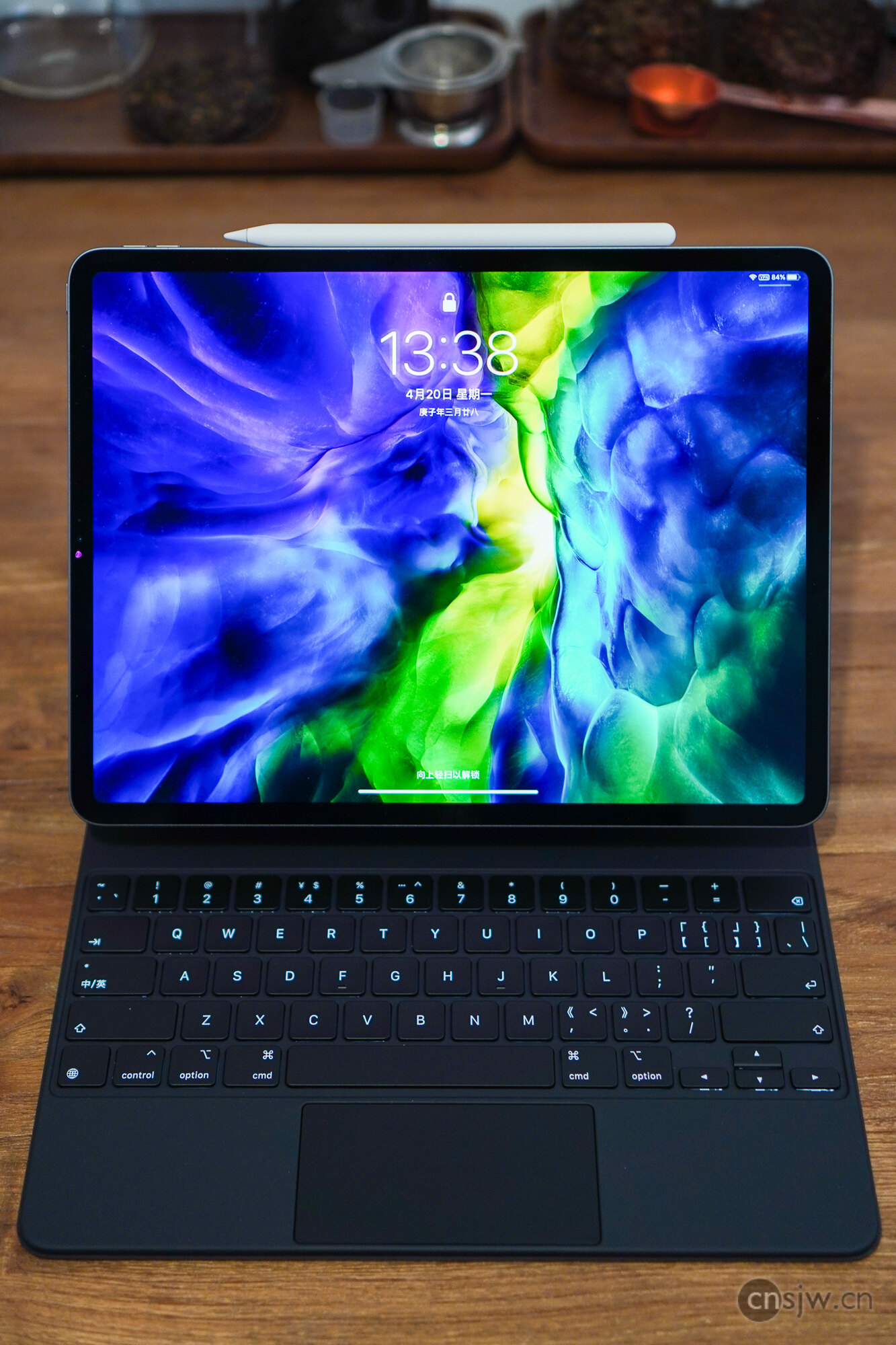
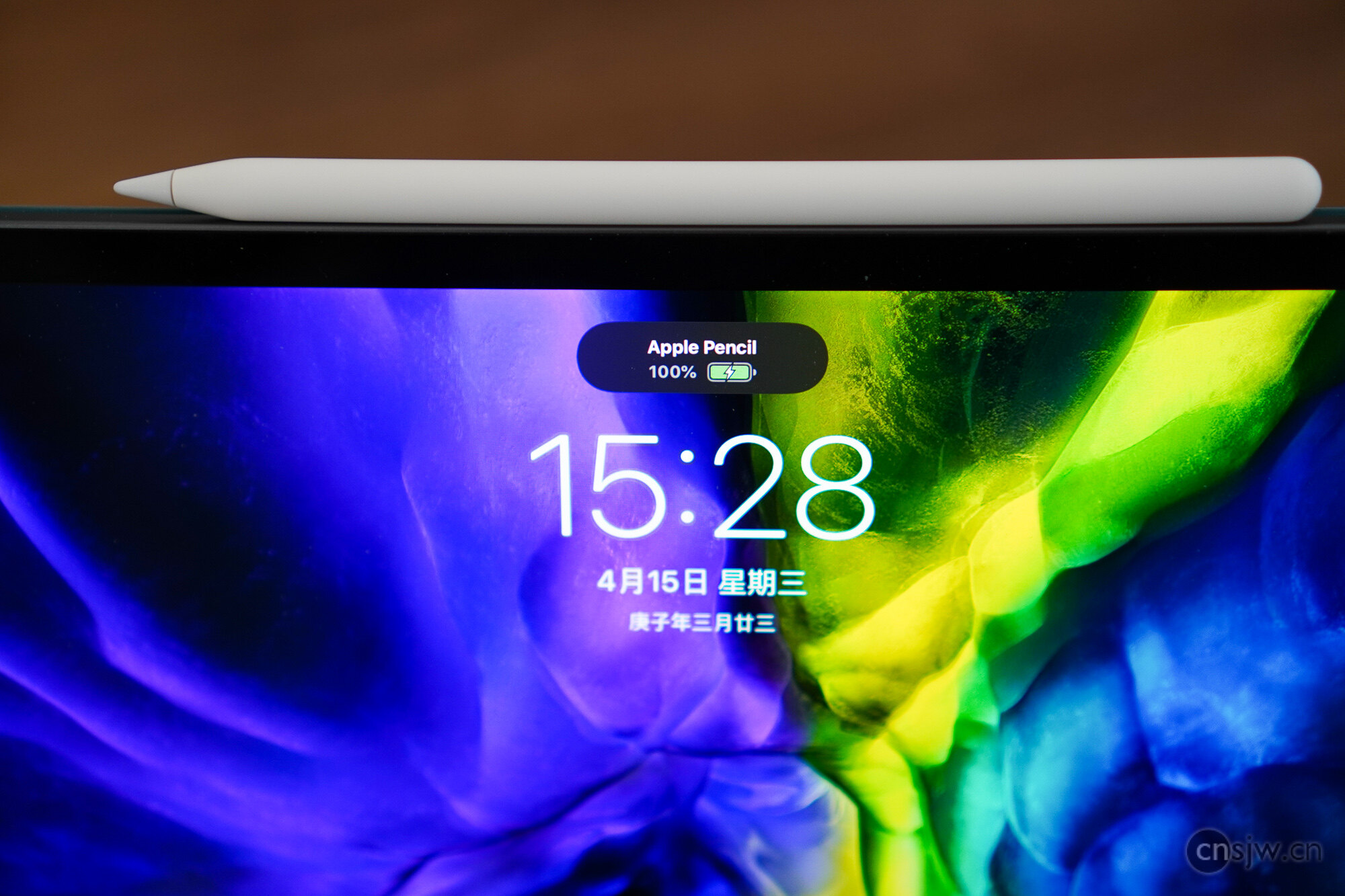
The Apple Pencil is still the second-generation model. It feels great in hand, and features like wireless magnetic charging are, of course, far more convenient than plugging it into the charging port like the previous generation.

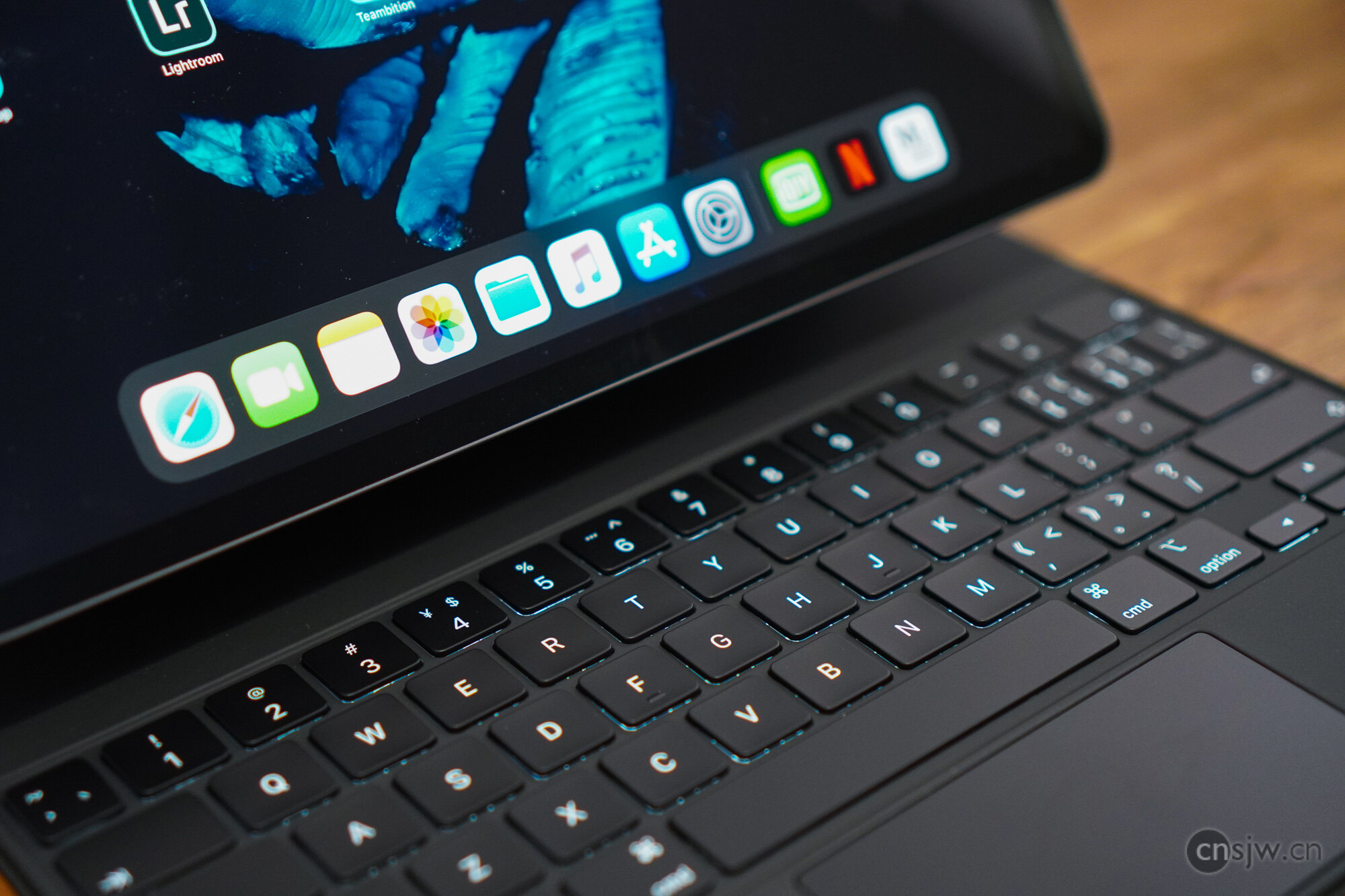
Perhaps the most noteworthy item is the all-new Magic Keyboard. This product grabbed everyone’s attention right from its release, bringing not only a laptop-style scissor-switch backlit keyboard to the iPad but also a trackpad. This can be seen as a significant step forward in Apple’s effort to turn the iPad into a productivity tool.
In actual use, the keyboard’s build quality and typing feel are excellent, and the iPad Pro stands very stably when attached. The trackpad is also very good—though a bit small—but multi-finger gestures and precise cursor control are far more convenient than using your finger. Additionally, it includes a USB-C port that can be used for charging. Of course, this port is strictly for charging and only provides up to 18W of power, making it ideal for keeping the device plugged in. You can place the iPad on it when you get home to start charging immediately, freeing up the iPad’s own USB-C port for other uses.
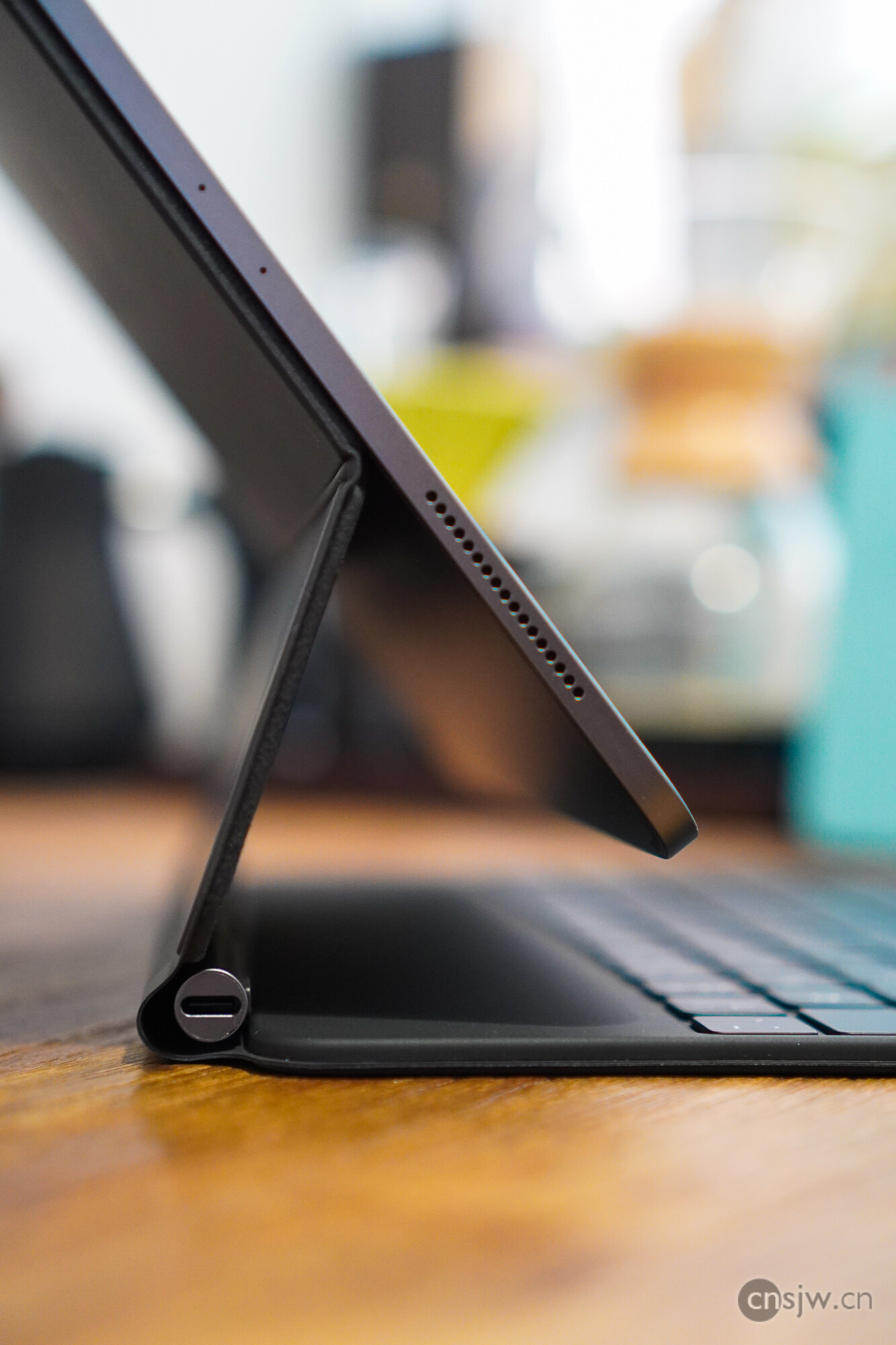
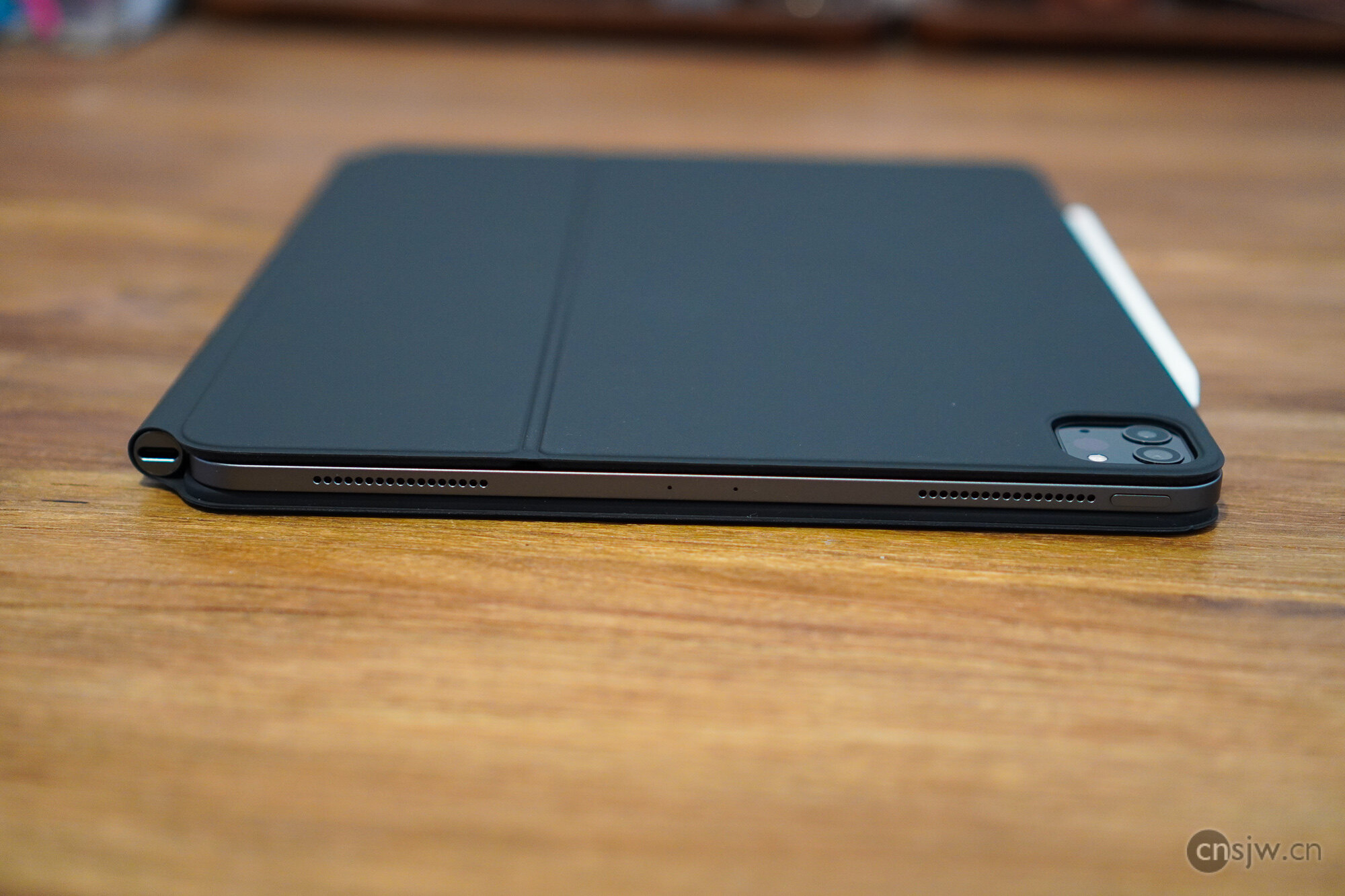
Speaking of weight, the 12.9-inch iPad Pro itself weighs only 640g and feels very comfortable in hand. However, most of the time you can’t actually hold it continuously. For example, when you set it on a desk, you’ll need a way to prop it up. That’s where the Smart Folio comes in—an upgraded version of the Smart Cover that now covers both the front and back. Since magnets are distributed across the back of this generation’s iPad Pro, you need something that can attach magnetically to the back to stand it up (and yes, it can even stick to a refrigerator). Naturally, it adds considerable weight at 247g, bringing the total to 887g when combined with the tablet.
Meanwhile, the Magic Keyboard weighs a hefty 704g, bringing the combined weight to 1.34kg. It truly cannot be called portable in any sense. Not only is the weight staggering, but its thickness is equally impressive—exceeding the MacBook Air in both metrics.
Software
When it comes to software, there’s plenty to complain about. Although Apple rebranded iOS as iPadOS and introduced numerous improvements—such as better split-screen multitasking, improved drag-and-drop functionality, a more useful Dock, a more accessible file system, enhanced support for peripherals like USB drives, mice, and trackpads, and encouragement for developers to create more productivity-focused apps for iPad—in hopes of preventing the iPad from becoming a device that’s “bought for productivity, then used just for streaming,” the reality is that once you actually start using iPadOS, you realize many of these conveniences are only relative to the old iOS. Compared to a computer, there are still many inconveniences…
First, there’s the issue of app compatibility. If you think split-screen allows you to float any phone app on one side, you’re mistaken. Only apps that explicitly support split-screen can use this feature, and in practice, the number of supported apps is quite limited. There’s also the issue of resolution adaptation; very few apps are truly optimized for the 12.9-inch iPad, especially domestic apps…
Then there’s the input method issue. I must admit, when I first saw how enormous the virtual keyboard was on the 12.9-inch iPad—and how tiny the floating keyboard was—I felt utterly hopeless… And another problem: it doesn’t support Wubi input… What? You suggest using a third-party input method? Well, external keyboards don’t support third-party input methods…
There’s also file management. While you can now directly access files on external hard drives or USB sticks, if you want to open them with a third-party app, you still have to copy them into that app first. So opting for an iPad with larger storage capacity makes quite a bit of sense…
Currently, iPadOS still lacks enough professional-grade software. Almost none of the applications needed for work are available, and even those that exist differ significantly from their desktop counterparts. I’m not sure whether they’re inherently less convenient to use or if I just haven’t adapted yet… Rumor has it that Apple will also bring Xcode, Final Cut, and Logic Pro to iPadOS. We can only hope that the next-generation iPadOS, announced at WWDC in June, will bring further improvements.
Buying Advice
Let’s first take a look at the entire current iPad lineup:

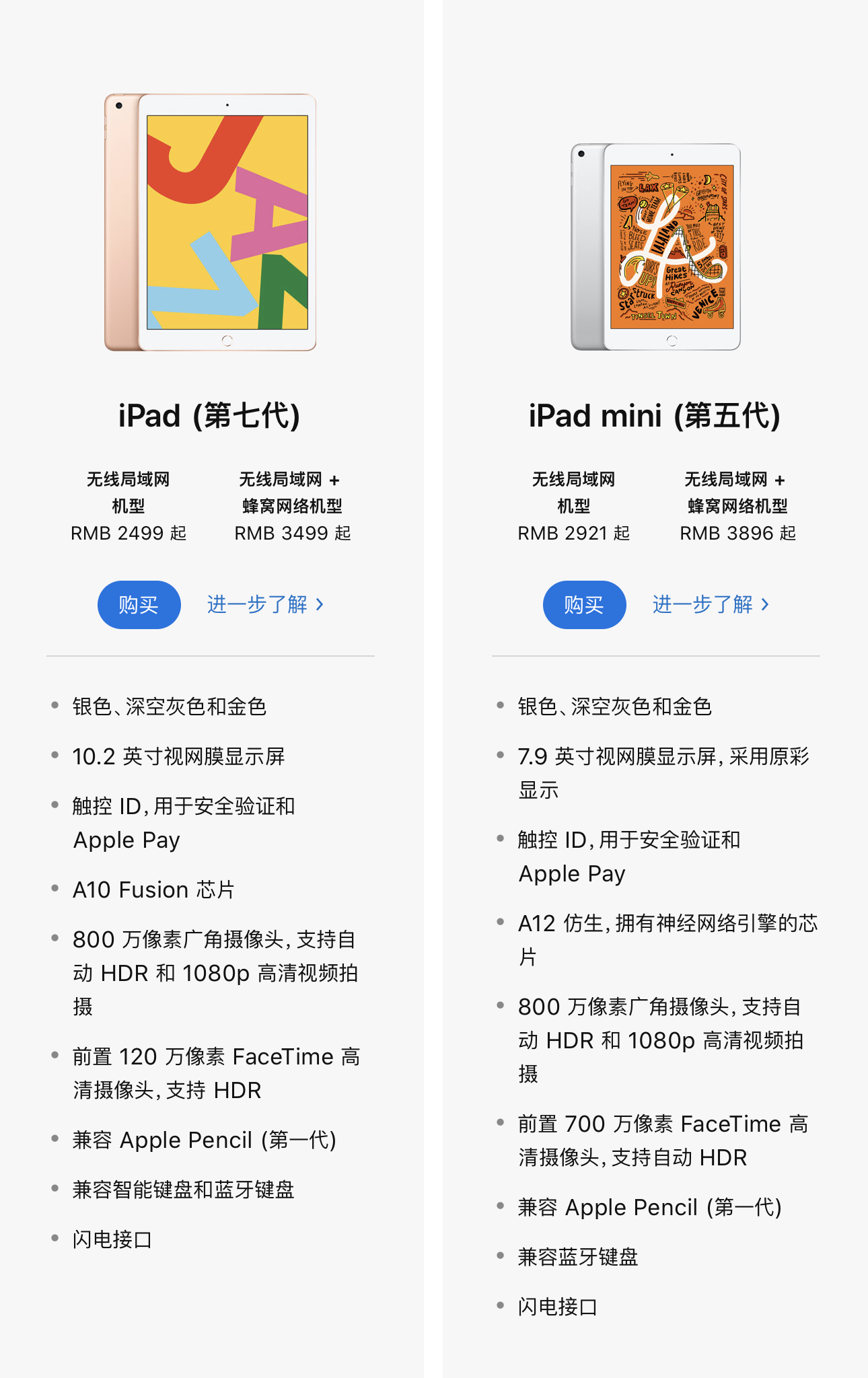
Basically, there’s the entry-level iPad equipped with the A10 chip (the same one found in the iPhone 7); the mid-tier iPad Air and iPad mini featuring the A12 chip (from the iPhone XS/XR), fully laminated displays, and P3 wide color gamut; and the high-end productivity-oriented iPad Pro.
Interestingly, none of the currently available iPads were unveiled at a dedicated launch event—they were all quietly released online… They are all essentially refined versions of previous-generation products.
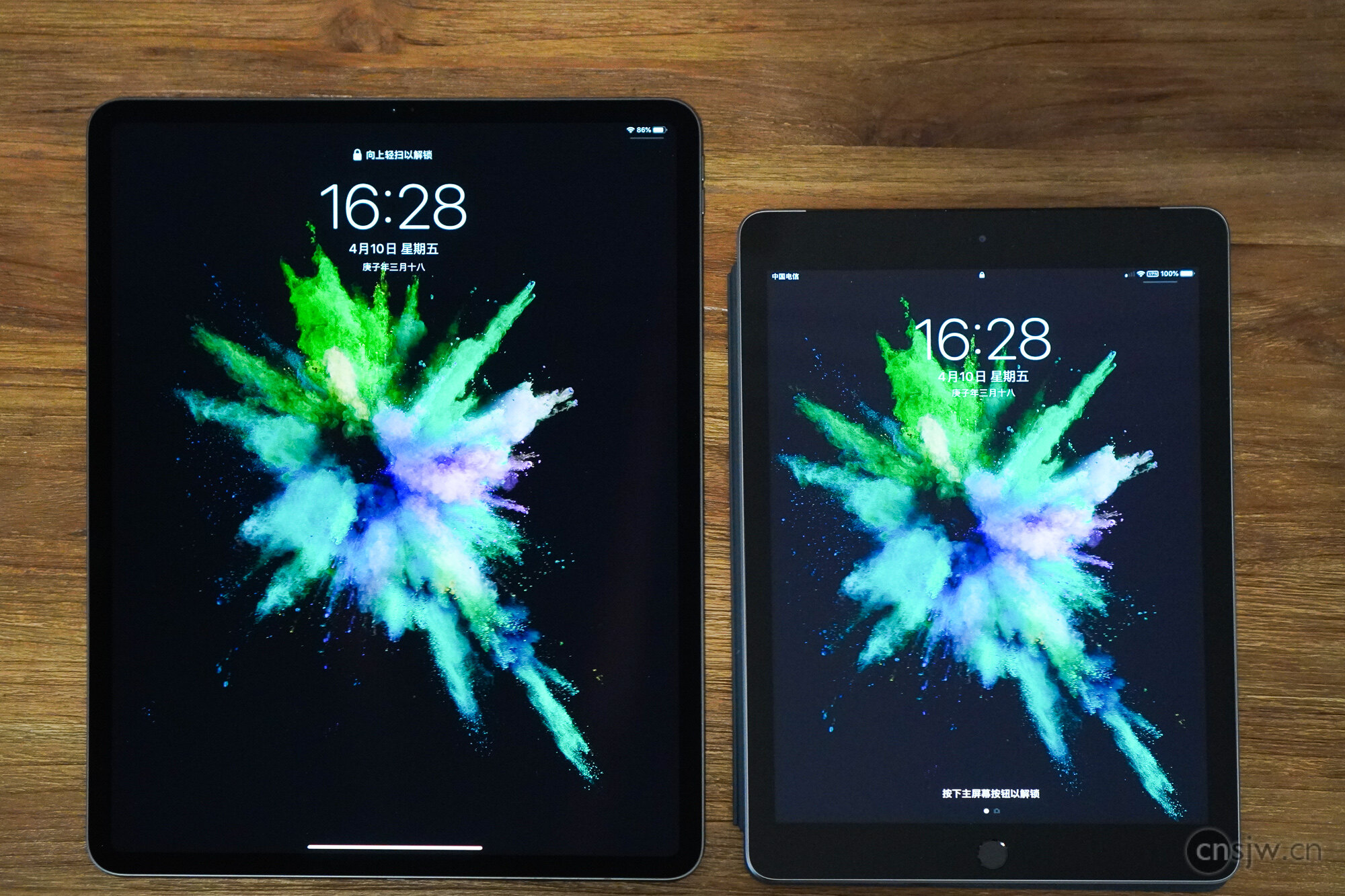
Compared to the entry-level 9.7-inch iPad, the 12.9-inch iPad Pro offers a massive leap in display quality and shows significantly more content, without adding much weight. Even for watching videos, it delivers a far superior experience.
As for comparing it to laptops, I don’t think the two are yet comparable in terms of productivity. However, for everyday entertainment purposes, after carefully considering your needs, it might serve as a viable replacement.
“Regarding which iPad Pro to choose, naturally go for the 12.9-inch model. Storage capacity can be selected based on your needs, and AppleCare+ is highly recommended—after all, accidental damage replacement costs only ¥368, and it also extends warranty coverage to two accessories, making it an excellent value.”}]}



Support



Read this article on WeChat