
Well, I’ve started usingDropbox, currently the best multi-platform file synchronization service.
It’s very simple to use: just download and install the client, and the contents of your designated sync folder will automatically synchronize.
It’s perfect for people who use multiple computers, especially those who have both a Mac and Windows or Linux machines.
The free storage is 2GB. Surprisingly, the lowest paid plan is 50GB for $9.99 per month—they really don’t know how to make money off poor people~~~~
Fortunately, their referral program offers a bonus of 250MB for each successful referral.
There are actually quite a few guides online about this, but they’re pretty disorganized~~~~~ So I decided to write my own personalized one….
First, try your best to invite others; each successful referral adds 250MB, up to a limit of 10GB.
However, there is a discount for students, which increases each referral bonus to 500MB, with a cap of 16GB.
Right herehttps://www.dropbox.com/edu
just verify an .edu email address. Most schools provide them, and you should be able to keep using it even after graduation~~~~
A little plug here: if you really can’t manage, don’t have the time, or aren’t in the mood to invite 32 people,
or if you’re just too lazy to mess around with fake emails and fake MAC addresses,
you can go tothis Taobao storeto get it all sorted out for just 8 yuan, and upgrade directly to 18GB via referrals.
Then comes getting the remaining 2GB:
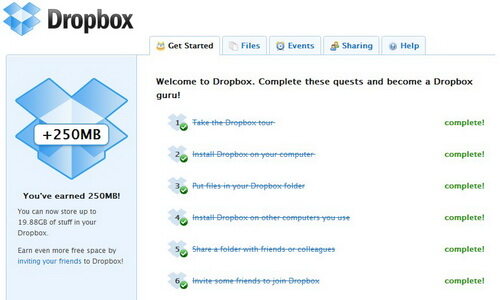
Get 250MB here:https://www.dropbox.com/gs
Get 768MB here:https://www.dropbox.com/free
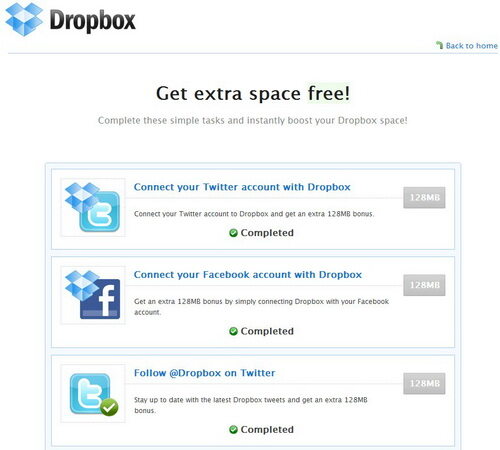
According to other online guides, this 768MB consists of six 128MB bonuses, obtained by:
- Connecting Twitter
- Connecting Facebook
- Following the official account on Twitter
- Writing a tweet about why you love Dropbox
- Posting to Twitter
- Posting to Facebook
But I didn’t see the option to post to Facebook, so I only got 640MB…
The other 1GB involves a rather complicated puzzle. Since HTTP Dropbox URLs are blocked by the Great Firewall,
although I’ve tried to use HTTPS links wherever possible, some services don’t offer an HTTPS version.
I’m not sure if you actually need to open these pages, but I recommend doing this part from outside the firewall~~~~
URL:https://www.dropbox.com/dropquest2011
- Let’s Get Started
- Let’s start with something easy. 5305404/18681 = 284, which gives you the URL for step three.
- Openhttp://forums.dropbox.com/topic.php?id=284
- Downloadhttps://dl.dropbox.com/u/211024/Step4.zip
- Unzip password: huskies
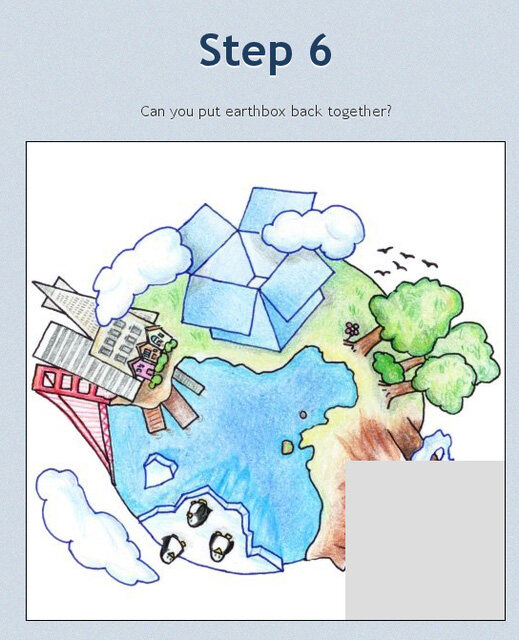
- Jigsaw puzzle
- 33739
- Openhttp://blog.dropbox.com/
- Open the first image:https://dl.dropbox.com/u/211024/Hack%20week%20photos/DSC_0066.jpg , see the URL at the back?https://www.dropbox.com/dropquest2011/b
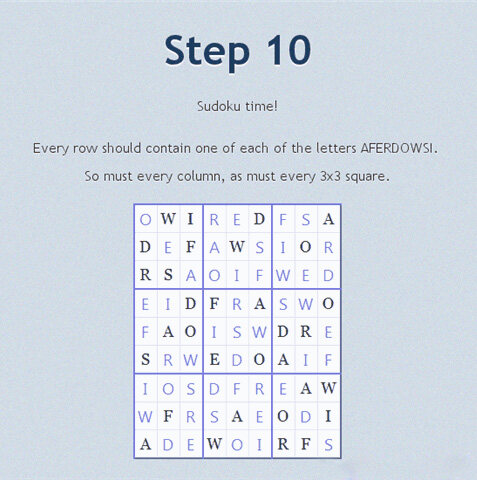
- Sudoku, solution below
After solving it, you’ll reach the https://www.dropbox.com/dropquest2011/o page (you can’t access it without completing the puzzle)- After seeing the hint, return to the Dropbox homepage https://www.dropbox.com/
- There’s a hint at the top of the homepage, open https://www.dropbox.com/dropquest2011/x
- Paste the URL on that page http://forums.dropbox.com/topic.php?page=18&id=18&replies=1173#post-9110
- Don’t close the previous webpage, then openhttp://blog.dropbox.com/?p=18
- Click the “Katana-ya” link in the article
- Unzip https://dl.dropbox.com/u/211024/Step16.zip
- baff1e
- Drew Houston
- https://www.dropbox.com/help/206
- Download https://dl.dropbox.com/u/211024/Step21.zip
- After unzipping, you’ll find an image with the color code 1F75CC. Then create a folder named “1F75CC” in Dropbox and share it with dropquest@dropbox.com
- A file will appear inside the 1F75CC folder,https://www.dropbox.com/votebox/3712/frozen-yogurt
- The answer is Rain Hunter
- Open the staff page (https://www.dropbox.com/about), find him, and click his name (Rian Hunter).
- Download https://dl.dropbox.com/u/211024/rainbowshell.zip
- Open https://www.dropbox.com/dropquest2011/t
- badcabbage
- 1133471056
- Dr0pbox heaRts U
- Done
Alright, after all that hassle, your storage should now be at 20GB (or 19.9GB? -_-)~~~~


Support