
Lately, I’ve been so surrounded by Apple products that I’ve even written three blog posts about them… Writing review articles properly can’t be done in just a day or two. Having used the iMac for nearly a month now, I’m sharing my user experience~~~
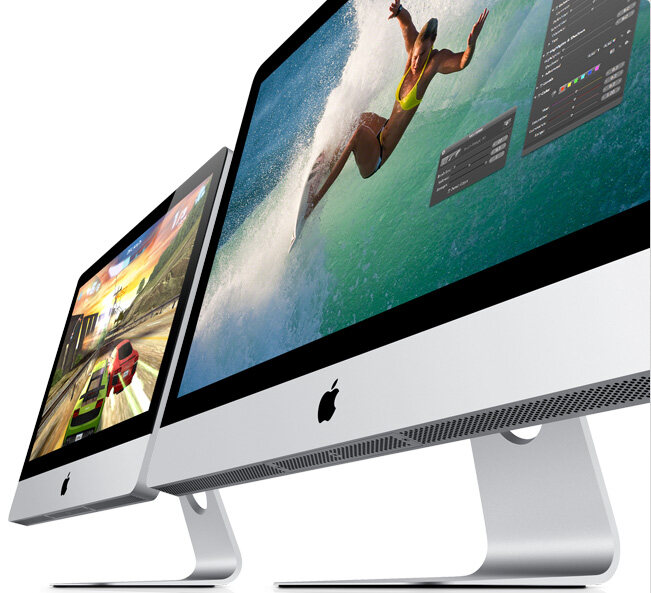
First, let’s talk about the selection process
As early as six months ago, when my laptop reached three and a half years old, I started considering an upgrade. What to upgrade to next?
Because my original laptop was too heavy and rarely taken out, I had been using it essentially as a desktop. However, due to work requirements, I couldn’t stand its yellowed, color-shifted screen, so I bought an LG 21.5-inch monitor. Unable to tolerate the poor-quality onboard sound card, I bought a Creative USB sound card. Unable to stand the trackpad and keyboard, I bought a Logitech wireless mouse and keyboard. Adding two external hard drives meant I also needed a BELKIN USB HUB.
Eventually, my laptop completely turned into a desktop tower. Since my current living situation is relatively stable, there was no need to replace it with another laptop. Relatively speaking, laptop specs are still on the lower side. For a desktop, my first thought was to build one myself, but I faced many issues: cases are too big and heavy, fans are noisy, and higher-end configurations aren’t actually cheap at all—a good build would cost over 7,000 RMB.
Later, for portability, I bought a 13-inch MBP, which was also my first Apple computer, and it changed my perspective on laptops significantly.
The biggest advantage of a laptop is portability, but achieving this requires sacrifices in many areas. Therefore, typical laptop weaknesses include: poor battery life (dying after two hours and requiring a heavy power adapter when going out); difficult-to-use keyboards and mice, especially trackpads, necessitating carrying a somewhat heavy mouse; poor screens with color shifts, insufficient brightness, and low color depth; and poor heat dissipation, among other issues.
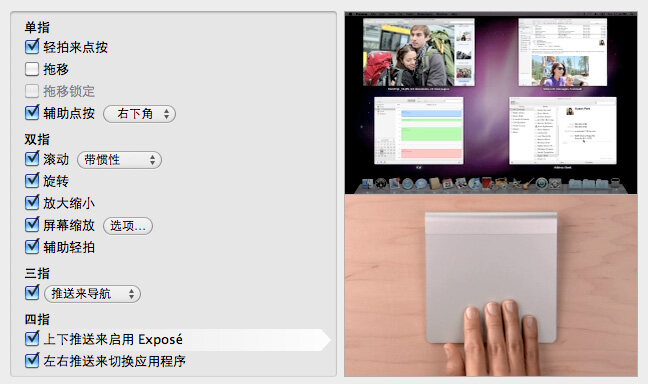
The MBP solved almost all these problems. The battery truly lasts 7 hours, sufficient for general use on the go. The trackpad features multi-touch and multi-finger gestures; once you get used to it, it feels even better than a mouse. The screen has much better colors than my LG monitor, which surprised me the most. Although it lacks ventilation grilles, the entire metal body acts as a heat sink, and it doesn’t accumulate dust. Coupled with the incredibly user-friendly macOS, Apple computers were added to my considerations for my next computer purchase.
After visiting the Apple Store to check things out, I was once again deeply attracted by the colors of Apple’s screens. Upon researching back home, I found that 27-inch 2560×1440 LED-backlit IPS panels generally cost over 10,000 RMB. Only Apple’s Cinema Display was priced at 9,998 RMB, making it basically the cheapest option in this tier of screens.
However, since the Mac Mini’s specs were simply too low—essentially laptop-grade—I gave up on it. While the Mac Pro had high specs, its price was staggering, starting at 20,000 RMB for just the tower, so I had to pass. That left only the iMac. With such an excellent screen, decent specs, and an acceptable price, I decided to buy the iMac.
One day, while visiting Lujiazui, I stopped by the Apple Store. Walking down the stairs, I saw someone buying an iMac and guessed the new model might be out. I asked a staff member, and sure enough, it was. So I made the purchase, unboxed it, and inspected it: no dead pixels, a perfect screen. Carrying it home wasn’t easy, though—a 13kg box….
Placing it on my desk felt quite unfamiliar at first; it seemed much bigger than it did in the store…. My eyes had to dart across the screen, and after a while, I felt a bit dizzy…. After a few days, I gradually got used to this screen size and resolution….
Here are my thoughts after using it for a few weeks:
Pros:
1. The Screen, It’s All About the Screen
The colors are fantastic. Whether viewing photos or watching movies, everything suddenly looks vibrant. Watching movies on a 27-inch screen is truly enjoyable, absolutely incomparable to 24-inch or smaller Full HD screens. Moreover, the high resolution has made 720P unbearable for me, forcing me to gradually replace the movies on my hard drive with 1080P versions… Fortunately, my 10M fiber optic connection was installed a few days later, making downloads much faster than before.
2. Wireless
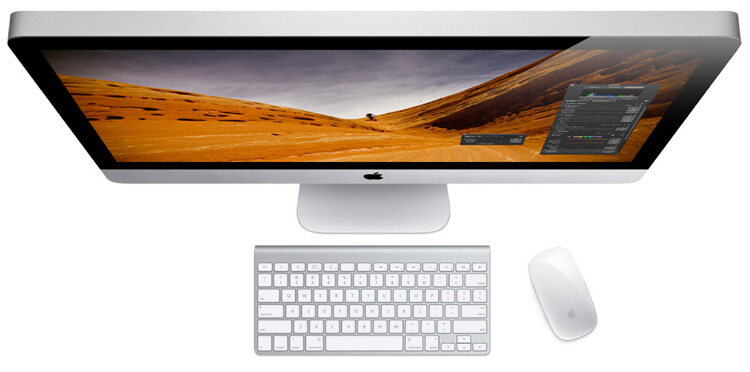
Having a cable-free desk is a great feeling. Network, wireless keyboard, mouse, trackpad—all Bluetooth. The absence of cables makes the desktop look much cleaner.
Songs in iTunes can be played on any Mac or iOS device in the house via Home Sharing. Living room speakers can output music playing from any Mac or iOS device in the house via AirPlay. Songs in iTunes can be remotely controlled from any iOS device in the house using the Remote app. Theoretically, these functions can also be achieved on Windows, but in practice, Windows often suffers from various connection failures or automatic pairing issues.
3. Sound Card
The quality of the onboard sound card surprised me again. Although there is still some difference compared to an external sound card, it is far superior to typical onboard audio, prompting me to toss my Creative external sound card into the cabinet. Cirrus Logic audio chips certainly do not disappoint. It supports optical input and output.
4. macOS
I have to say macOS is a major reason for choosing an Apple computer. Its interface, speed, stability, security, user-friendliness, and anti-aliasing are all far superior to Windows. It natively supports PDF preview and export, vector image preview, and comes with built-in tools like Python, Java, Apache, and PHP. Most everyday applications are available on macOS and are typically more stable and efficient than their Windows counterparts.
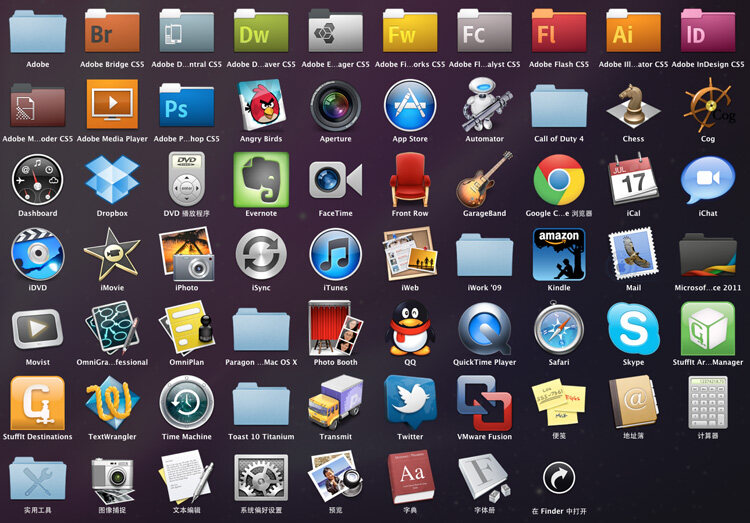
Although I can’t completely leave Windows behind due to Xunlei, online banking, printers, etc., running a clean copy of Win7 in a virtual machine causes no inconvenience or strain. Plus, I can switch between systems instantly, share documents, music folders, and clipboards, and arbitrarily assign hardware peripherals to either system. For those who need Windows occasionally but not constantly, this is an excellent solution. Win7 running in a Space:
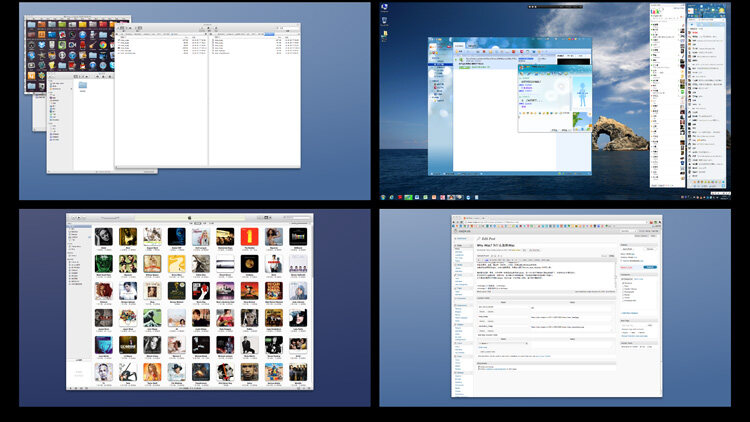
Minor Drawbacks:
1. Insufficient Base RAM
The base model comes with only 4GB of RAM. Given today’s dirt-cheap memory prices, this configuration is rather stingy. Upgrading officially? Those prices are outrageous. Fortunately, Apple provides detailed documentation on their website for DIY RAM upgrades. For me, running Win7 in a VM, allocating just 1GB to the VM still caused macOS to run out of memory, leaving the virtualized Win7 short on RAM as well. This resulted in constant swapping between RAM and virtual memory, frequently causing the computer to freeze. Luckily, upgrading RAM is very simple: there’s a panel on the bottom of the machine that opens to allow RAM replacement. After swapping in four 4GB sticks for a total of 16GB, performance became incredibly smooth.
A reminder to everyone: virtual memory uses the hard drive to temporarily store inactive programs from RAM to address memory shortages. However, hard drive speeds cannot compare to RAM speeds, so during data swapping, the computer tends to slow down easily, frantically reading the disk or freezing entirely. For computers, upgrading RAM is the easiest and most cost-effective improvement. If memory becomes a bottleneck, upgrade it as soon as possible. Memory prices are relatively stable, and older modules can sometimes increase in price. Spending just a few hundred yuan can make your computer run much smoother. (Of course, this assumes memory is indeed the system bottleneck.)
2. Keyboard and Mouse
The keyboard lacks a numeric keypad, which can be inconvenient at times. The mouse is genuinely quite difficult to use; although I’m more accustomed to it now, I still find it hard to use.
3. NTFS Support
macOS only supports reading files from NTFS-formatted disks; writing requires third-party software. However, stability issues do occur occasionally, especially when deleting large files. While I could avoid using NTFS, where am I supposed to move 2TB of files just to reformat the drive…?
On Cost-Performance Ratio
Whenever people mention something having a high cost-performance ratio, it’s usually because the price is low, completely ignoring performance. Sure, the price is lower, but if both performance and price are low, the cost-performance ratio doesn’t necessarily improve.
In the past, when choosing products, I rarely paid attention to Apple because I thought they were just selling aesthetics with poor value. But when I actually took the time to understand their offerings, I realized that although their prices are generally higher, they have always targeted the high-end market, and within that segment, Apple actually offers excellent value.
Ultimately, choice depends on needs. If you work in photography, design, music, video, web/iOS development, or similar fields, Apple is a great choice. However, because Windows drivers aren’t fully optimized, you won’t experience multi-touch gestures, and thermal management may not be ideal. So, if you plan to game, chat online, or require Windows continuously for specialized fields like mechanical or electronic engineering, building your own PC is probably more suitable.


Support